User Study — Participation Invitation
A plugin for Zotero 7 and 8 that lets you back up and restore your preferences, citation styles, and shortcuts across multiple devices in two clicks.
If you use Zotero on more than one device, you have probably noticed that your preferences (keyboard shortcuts, PDF reader settings, citation styles, language, and more) do not carry over automatically. Every new device requires manual reconfiguration, which is time-consuming and easy to get wrong.
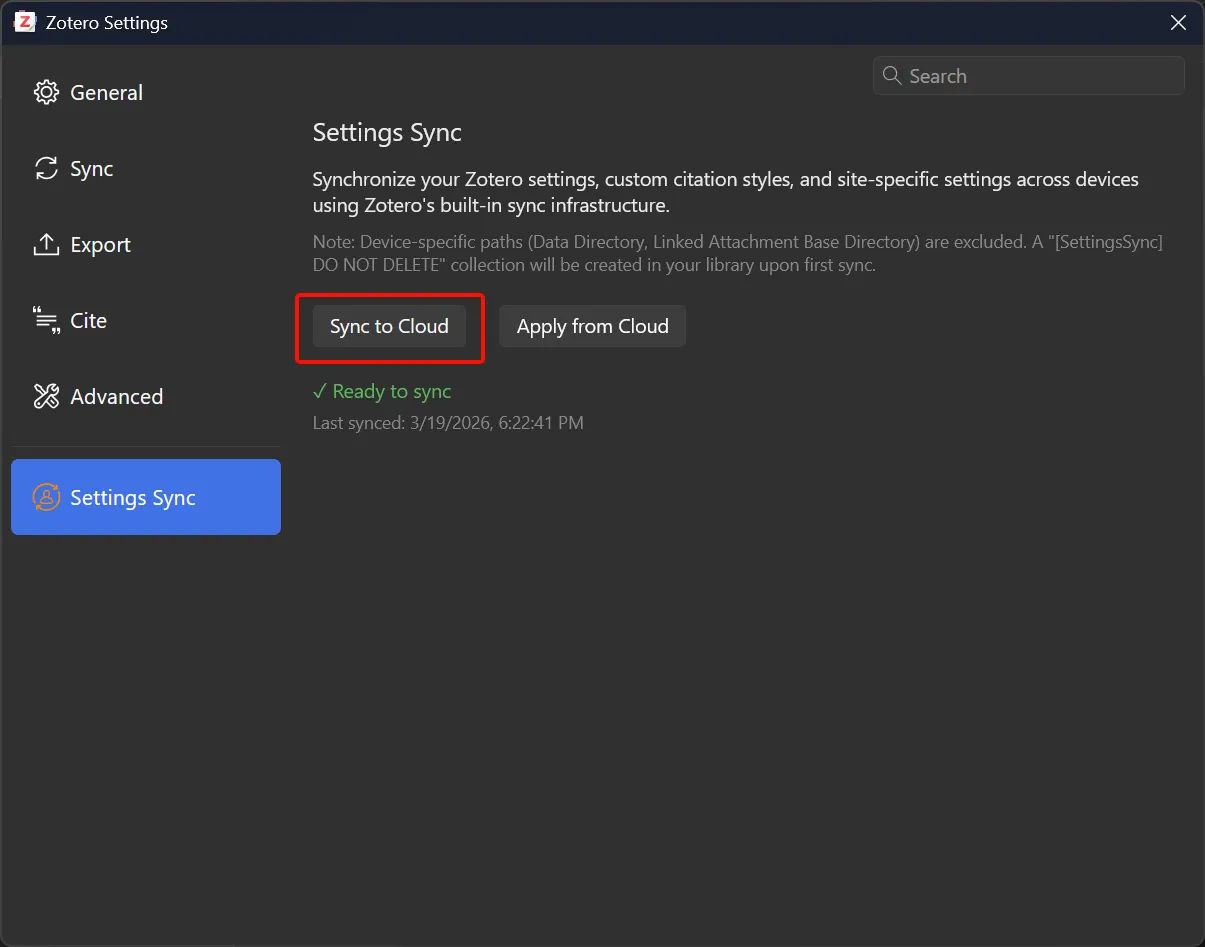
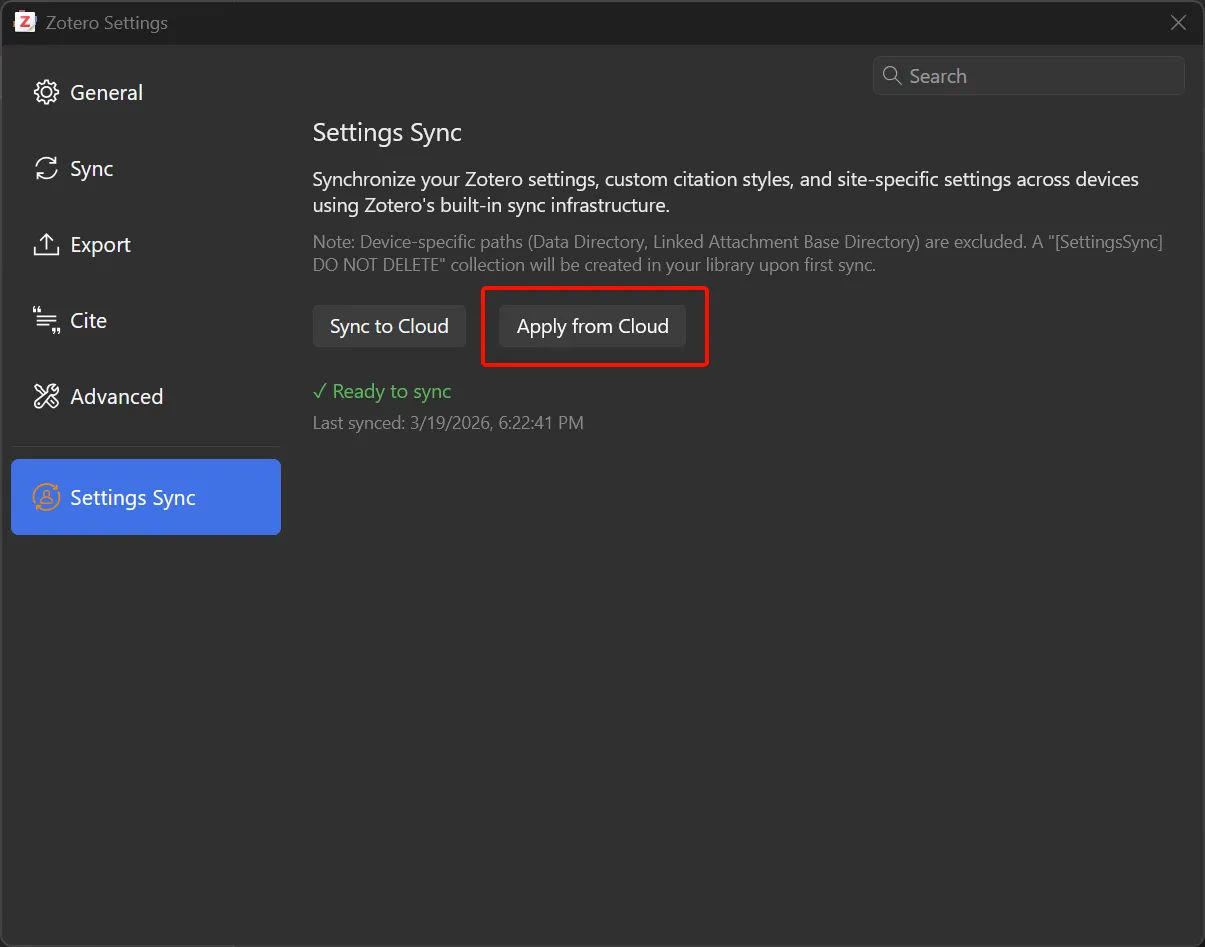
This plugin solves that problem. It adds a Settings Sync tab to Zotero Preferences with two buttons: Sync to Cloud and Apply from Cloud. Your settings are stored securely as a file in your own Zotero library and synced through Zotero's existing cloud infrastructure. No third-party account or server is required.
Covers appearance, keyboard shortcuts, PDF reader, file handling, Quick Copy, feeds, and more.
Syncs any .csl files you have installed yourself, excluding Zotero's built-in defaults.
Uses your existing Zotero sync account. Nothing is sent to any third-party server.
Interface available in English, Simplified Chinese (简体中文), and Traditional Chinese (繁體中文).
COMP4913 Capstone Project, Final Year Student
I am a final-year student in the Department of Computing at The Hong Kong Polytechnic University (PolyU). This plugin is my capstone project, developed to address a real gap in Zotero's cross-device workflow. This user study is part of the final evaluation phase of the project.
Your participation will directly contribute to the project's evaluation report and help shape future development of the plugin, which will be made publicly available after the project concludes.
This study follows standard academic research ethics. Please read the following before participating.
Download the plugin file (.xpi) below. The file has been scanned using
VirusTotal
and returned a clean result. The full scan report is linked alongside the download.
Compatible with Zotero 7 and Zotero 8
Step-by-step setup instructions for both devices
Full antivirus scan: 0 detections across all engines
Zotero 7 or 8 required. This plugin does not work with Zotero 6. You can download the latest version from zotero.org/download.
Unlike typical software tests, you will not be asked to do anything artificial. You will use your own, real Zotero settings. There are only four steps, two of which are just clicking a button.
Before you start: Make sure the plugin is installed on both devices and the status shows "Ready" on both. If you need help with installation, download the Installation Guide PDF (OneDrive / Google Drive) or email me.
Before touching the plugin, spend a few minutes looking at your current Zotero settings on Device A. You are not changing anything, just getting familiar with what you have.
Still on Device A, in the Settings Sync tab:
Switch to Device B:
After Zotero restarts on Device B, go back through Edit → Settings and check the same 3–5 settings you noted in Task 1:
You do not need to fix anything. Just observe and note what you find. You will be asked about this in the questionnaire.
Need to undo the changes on Device B? Simply configure Device B the way you want, then click "Sync to Cloud" from Device B. Or email me and I will walk you through it.
Step 5
Fill In the Questionnaire
After completing the four tasks above, please fill in the online questionnaire. It takes about 8–10 minutes. Your honest answers, especially about things that went wrong or felt confusing, are the most valuable part of this study.
📋 Open QuestionnaireHosted on Microsoft Forms · No sign-in required · Responses are anonymous
If you have any questions before, during, or after the study, or if you run into any technical issues, please do not hesitate to get in touch. I aim to respond within 24 hours.
| 24015558d@connect.polyu.hk | |
| Affiliation | Department of Computing The Hong Kong Polytechnic University |